Your association dues are paid to ROCA1 (Royal Orleans Condominium Association). Your first payment takes about 5 minutes. Pick the way that suits you: from your bank or Zelle. You do not need Zelle. (A check in the mail is available only if you ask for it that month.)
Part 1. Sign in
- Open the owner page
Go to 2ndchinc.org/association-owners/roca1 on your phone or computer.
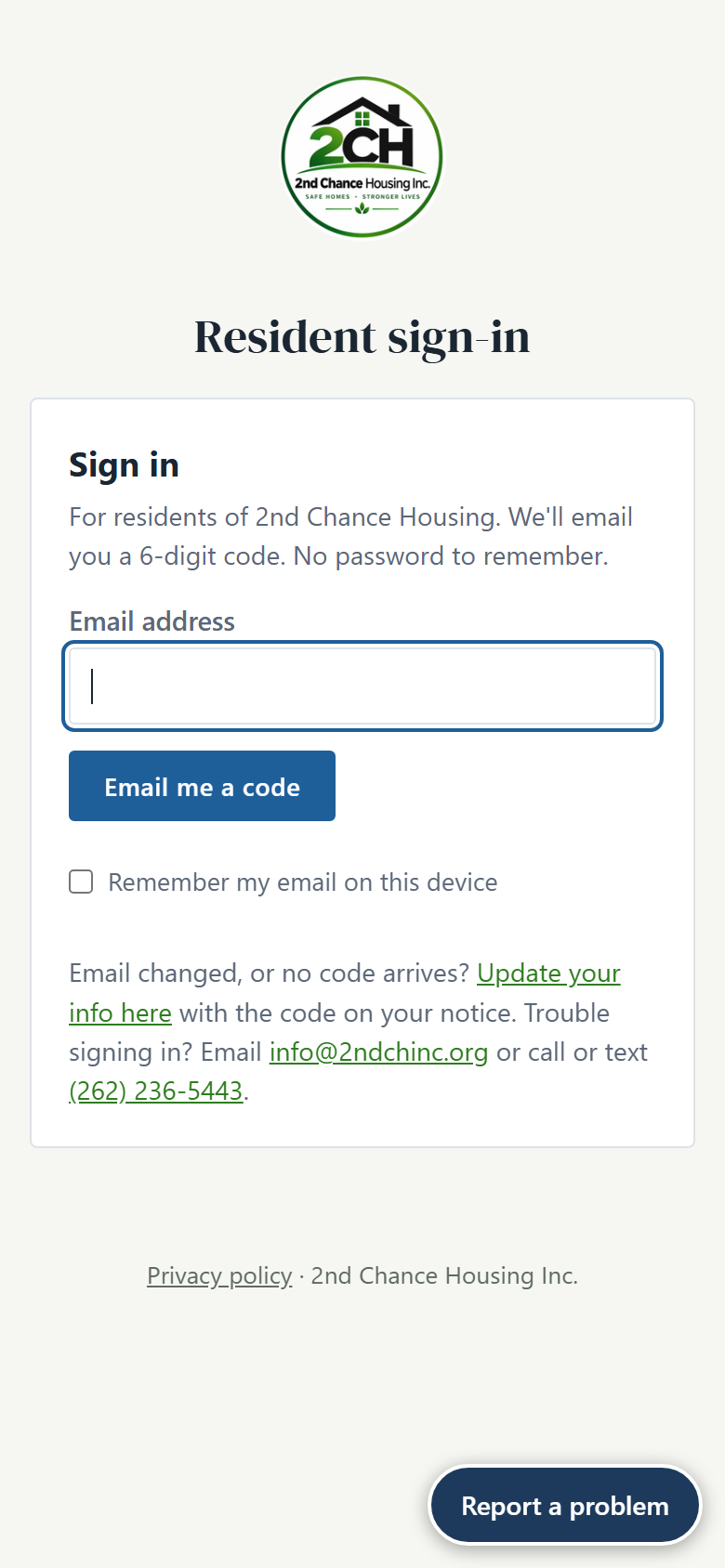
- Type your email and tap "Email me a code"
Use the email the association has on file for you. There is no password to remember.
- Type the 6-digit code from your email
Look for "is your 2nd Chance Housing sign-in code". If you do not see it, check Spam or Junk. The code works for 10 minutes. Then tap Sign in.
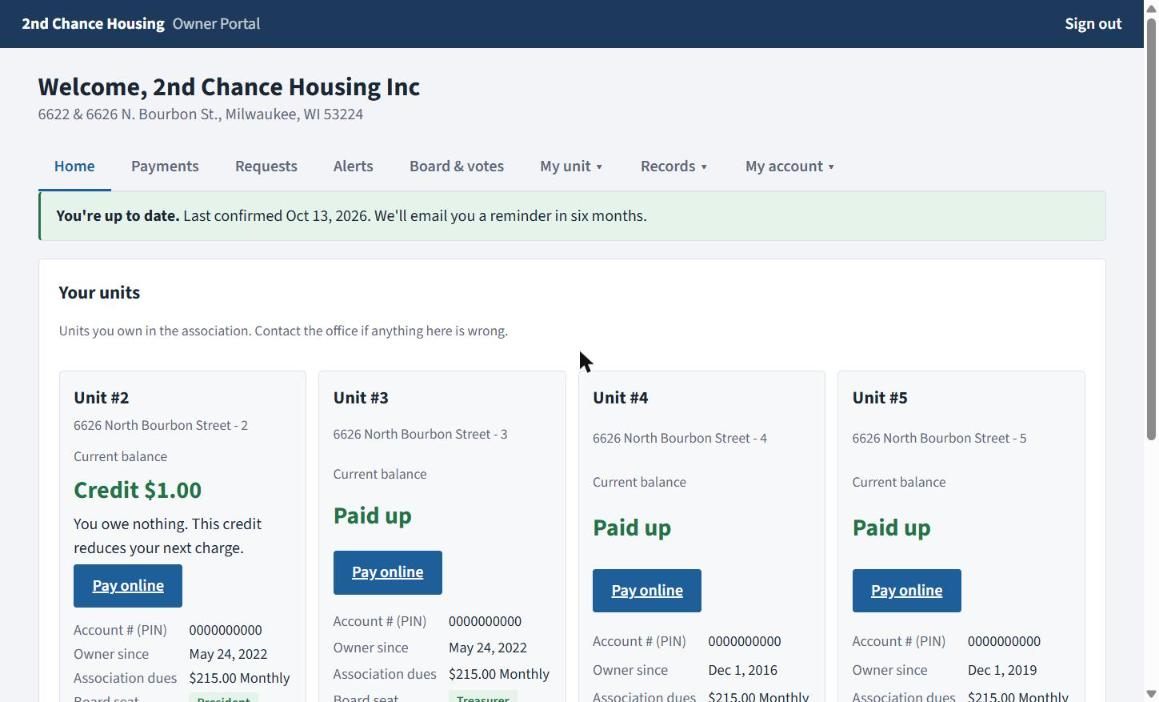
- Find your balance
Your home screen shows each unit you own and what is due. Tap Pay online, or open the Payments tab.
Part 2. Pay from your bank account
We take payments from your bank account. We do not take cards. Stripe, a payment company used by many banks, keeps your bank login private. This site never sees it.
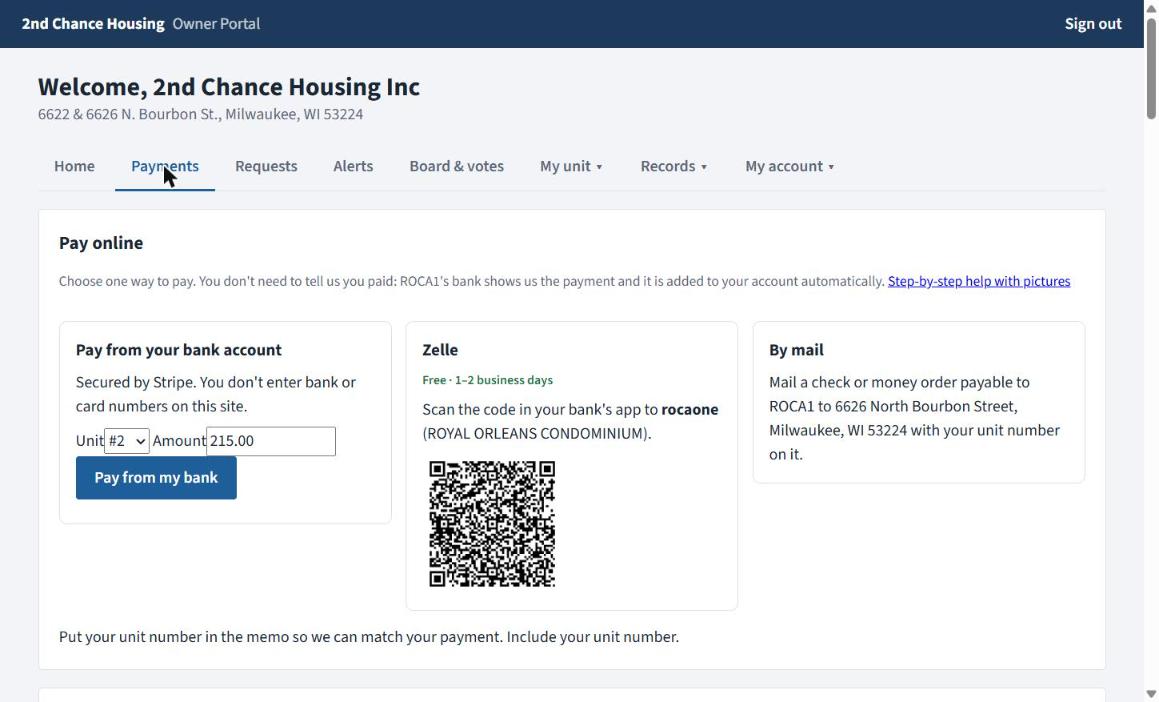
- On Payments, find "Pay from your bank account"
Check the Amount. It starts at what you owe. You can change it. If you own more than one unit, choose the unit first. Then tap Pay from my bank.
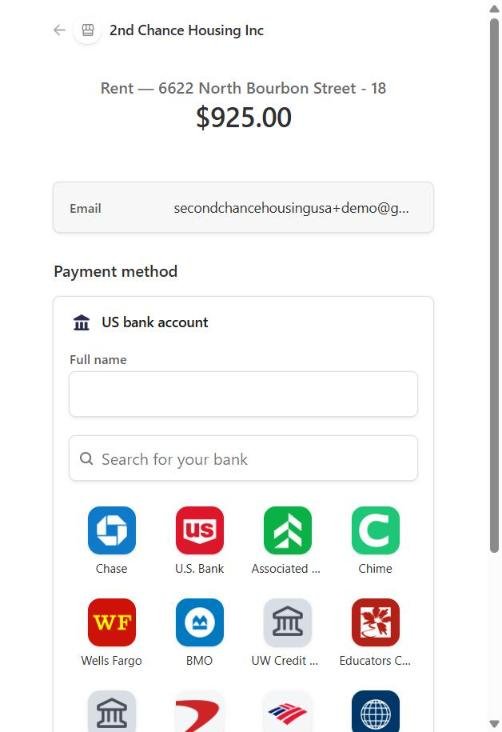
- A secure Stripe page opens. Type your name and choose your bank.
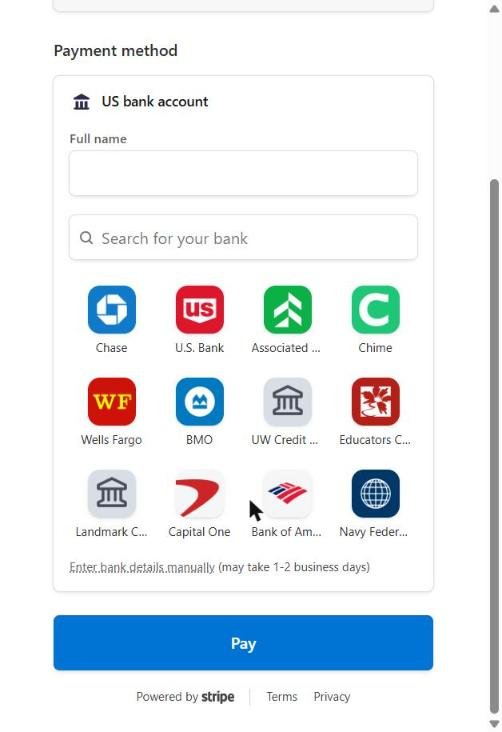
Type your full name. Then tap your bank in the list, or type its name in Search for your bank.
- Sign in to your bank
Use the same username and password you use for your bank app. This happens inside your bank's own secure window. Pick the checking account to pay from, and agree.
Do not give anyone your bank password, not even us. You only type it into your bank's window on the Stripe page. - Tap the blue "Pay" button
It is at the bottom of the Stripe page. You come back to the owner page. Bank payments take 3 to 5 business days to finish.
 No late fee while your bank payment is on its way. If you pay by the due date, the payment is still waiting to clear, and it covers what you owe, we do not add a late fee while it clears. (If the bank later returns the payment, the late fee is added that day.)
My bank is not on the list, or I do not want to sign in to my bank
Under the list of banks, tap Enter bank details manually. Type the routing number and account number (printed at the bottom of a check, and in your bank app under Account details). Stripe then sends two tiny deposits to your account in 1 to 2 business days and emails you a link to type the two amounts. After that, come back to Payments and tap Pay from my bank again.
Dues are still due on time while you wait. Use Zelle that month if you need to.
Paying with Zelle instead
- Open Payments and find the Zelle box
It shows who to pay: ROYAL ORLEANS CONDOMINIUM. You can scan the code in your bank's app.
- Open your bank's app, choose Zelle, and send the amount
In the memo (note), type your unit number and the account number shown on your Payments tab.
Zelle is free and usually arrives in 1 to 2 business days. It only works inside your bank's app.
Paying by check or money order
- Ask for it first
On your Payments tab, tap Request to pay by check this month. It is approved right away and covers that month only.
- Make it payable to ROCA1
Write your unit number on it. Mail it to the address shown in the By mail box on your Payments tab.
After you pay
Call or text (262) 236-5443 or email [email protected].
Go to my account